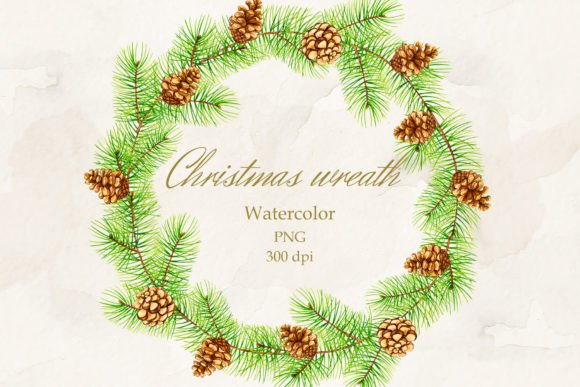
Christmas Wreath: Seamless Border PNG for Your Holiday Designs
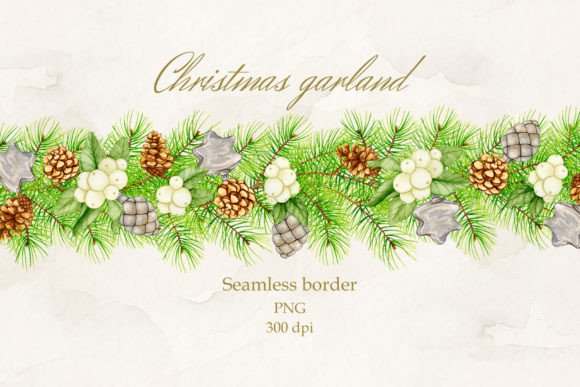
There's a particular warmth to a hand-painted illustration that digital tools struggle to replicate. This Christmas wreath, rendered in watercolor and transformed into a high-quality digital asset, carries that authentic, textured feel. It's more than just a festive graphic; it's a piece of art designed for creators who value craftsmanship and versatility. The seamless border format is key—it allows you to create continuous patterns and frames without awkward breaks, making it a foundational piece for a wide range of projects.
A Versatile Design Asset for Modern Creators
This digital file is built for practicality. As a seamless border PNG with a transparent background, it integrates cleanly into any layout. You're not constrained by a fixed background color, which means it can layer over photographs, textures, or solid colors without a cumbersome cutout process. The 5500x5500 pixel resolution at 300 DPI ensures it holds up beautifully in print, from large-format posters to small, detailed stationery.
For the designer or small business owner, this asset solves multiple problems at once. It’s not just a single-use Christmas graphic. Think of it as a component within your broader brand identity toolkit for the holiday season. The watercolor style lends itself to a certain aesthetic—artisan, organic, and approachable—that can influence how a brand is perceived during a key sales period.
Where This Christmas Wreath Truly Shines
The real value of a versatile asset like this lies in its application. Here’s how different creators can put it to work:
- For Packaging & Product Design: Imagine this wreath as a seamless border on holiday gift tags, shopping bags, or product boxes for a bakery or candle company. It instantly communicates festive care and quality. Use it to frame product information on labels or as a decorative element on shipping boxes to create an unboxing experience.
- For Digital & Social Media: Bloggers and content creators can use it to design cohesive social media graphics, story templates, or Pinterest pins. The PNG format makes it easy to drop into Canva, Adobe Express, or Photoshop. Create a festive frame for holiday recipe posts, gift guide announcements, or seasonal sale promotions.
- For Print & Editorial Work: In editorial design, this wreath could serve as a decorative header or footer in a holiday magazine, a chapter opener in a cookbook, or a elegant border for a newsletter. Its watercolor texture adds depth that flat vector graphics lack, making pages feel more curated and less generic.
- For Personal & Handmade Projects: Crafters and hobbyists will find it ideal for scrapbooking paper, decoupage on wood trays or ornaments, or as the centerpiece for handmade greeting cards. The high resolution means it can be printed on home printers for DIY projects without losing detail.
Its strength is in its role as a design asset rather than a standalone piece. It’s meant to be combined with typography, other graphics, and photography to build a complete visual narrative.
Integrating This Asset Into Your Workflow
Adopting a new asset requires a bit of strategy. First, consider your project's overall aesthetic. This wreath’s handwritten and painterly style pairs best with fonts that complement, not compete. A clean sans serif font for body text creates a nice contrast, allowing the wreath to be the decorative focal point. For headlines, a simple serif font or a subtle script font can echo the organic feel without overwhelming the design.
Test the font pairing and the wreath’s placement at the actual size it will be used. A border that looks balanced on a large poster might feel cramped on a business card. Use the transparent background to your advantage—experiment with layering it over different backgrounds to see how the watercolor textures interact. On a dark background, the colors may appear more vibrant; on a light one, more delicate.
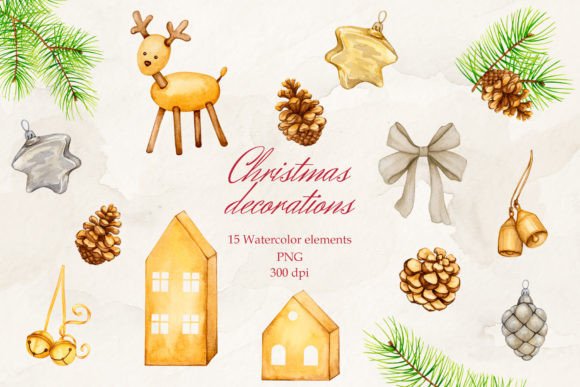
Remember, this is a commercial font asset, meaning you can use it in projects for sale. However, always double-check the license for any specific restrictions, especially for large-scale distribution like on print-on-demand platforms. The file provided is a single PNG, so for projects requiring multiple elements (like individual pine cones or berries), you would need to isolate them in a program like Adobe Photoshop, which the file is fully compatible with.
Making It Your Own
The final step is to move from using the asset to making it feel native to your project. Adjust the color saturation or hue slightly in your design software to better match your brand’s holiday palette. Scale it down and repeat it as a subtle background texture. Use just a quarter of the wreath as a corner accent. The goal is to avoid a stock-image look by integrating it thoughtfully into your composition.
This Christmas wreath seamless border PNG is a tool for adding authentic, handcrafted charm to your seasonal communications. It bridges the gap between digital convenience and artisanal appeal, offering a practical solution for anyone looking to elevate their holiday designs with a touch of timeless warmth.